Your Phone Can Reach Your Family in 30 Seconds. Most Don't. (IPhone Set-Up)

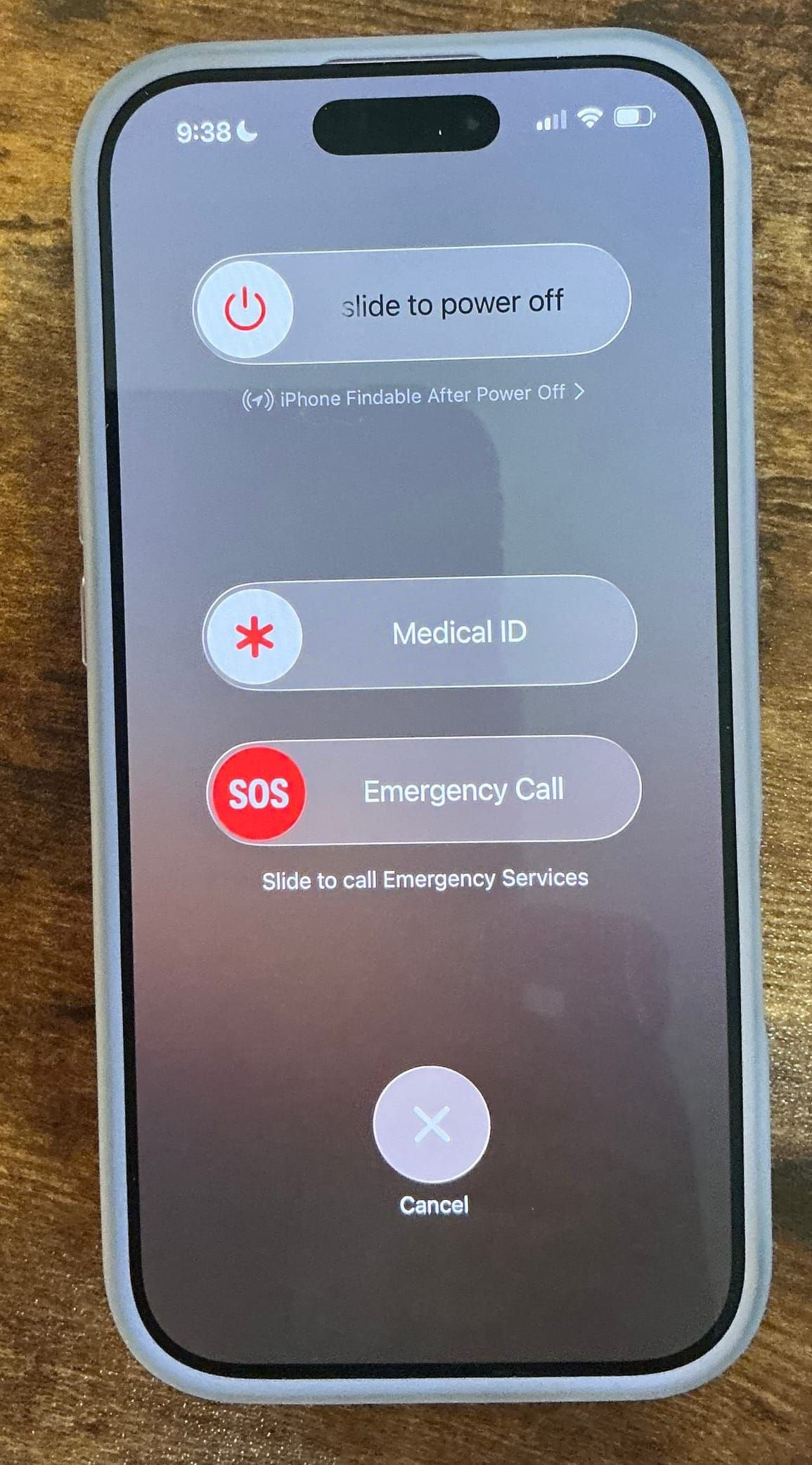
If the ambulance shows up tomorrow, can they call your daughter before you reach the hospital? Ten minutes tonight fixes that — here's exactly how.
Here's a question I ask new clients, and almost nobody gets it right on the first try.
If you collapsed at the grocery store this afternoon, and a paramedic picked up your phone off the floor — could they tell your husband within a minute? Could they see that you're allergic to penicillin before they push anything into an IV? Could they know you have a nine-year-old who gets off the bus at 3:40 and would walk into an empty house?
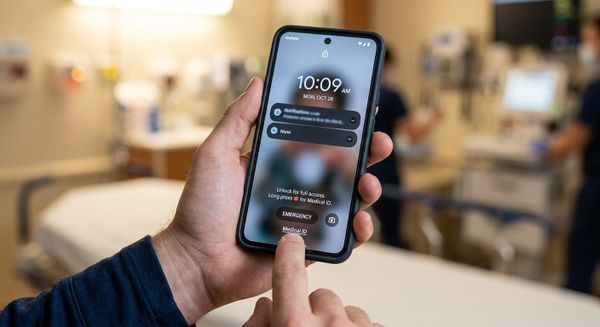
Your phone already has a place to hold all of that. Apple calls it Medical ID. It's free, it's built in, and it works from the lock screen without anyone needing your passcode.
Most people have never opened it.
What is Medical ID? (Iphone) — made with VEED How to Update Medical ID on IPhone — made with VEEDWhat Medical ID actually does
Medical ID is a single screen that first responders can reach on a locked iPhone — no passcode, no face scan, no fumbling. It holds your name, date of birth, medical conditions, allergies, medications, blood type, organ donor status, and, most importantly, your emergency contacts.
When it's set up, a medic can tap Emergency on your lock screen, tap Medical ID, and call your spouse directly from that screen. If they can't reach the first person, they go to the second.
When it isn't set up, they go a slower route: the hospital, your wallet, your driver's license, a records search, a phone call to a number that may be ten years old. That process works. It just takes time — and the whole reason we're having this conversation is that the first hour is the one where your family needs to be standing next to you, making decisions, giving history a stranger can't give.
Setting it up on iPhone
This takes about ten minutes. Do it now, on your phone, while you're reading.
- Open the Health app (white icon, red heart). If you can't find it, swipe down on your home screen and search "Health."
- Tap your profile photo or initials in the top right corner.
- Tap Medical ID.
- Tap Edit.
- Fill in everything you're comfortable sharing. Don't skip the free-text fields — that's where the useful detail lives.
- Scroll to Emergency Contacts and tap the green plus. Pick the person from your contacts, then choose the relationship label (spouse, daughter, son). The label matters — a medic wants to know they're calling family, not your dentist.
- Scroll to the bottom and turn on Show When Locked. Without this, everything you just typed is invisible to the people who need it.
- Turn on Share During Emergency Call. This sends your Medical ID to dispatch automatically when you call 911.
- Tap Done.
Then test it. Lock your phone, tap Emergency on the passcode screen, and tap Medical ID. If you see your own information, you're finished.
Apple moves this screen around between iOS versions — if a step doesn't match what's on your phone, search "Medical ID" in Settings and it will take you there.
If you wear an Apple Watch
Your Medical ID syncs to the watch automatically. Press and hold the side button and you'll see the Medical ID slider. This is worth knowing, because in a fall or a car accident, the watch is often still on the person when the phone is across the parking lot.
On Android
The layout varies by manufacturer, but the path is close to this:
- Open Settings
- Go to Safety & Emergency
- Tap Medical Information and enter your conditions, allergies, medications, and blood type
- Go back and tap Emergency Contacts to add your people
- Confirm that emergency information is viewable from the lock screen — on most Android phones this is on by default, but check it
Then test it the same way: lock the phone, tap Emergency on the lock screen, and look for your information.
What to actually put in it
The setup is easy. The content is where people get thin. Here's what's worth including:
- Two or three emergency contacts, in priority order. Not just your spouse. If the two of you were in the same car, who's next?
- Allergies — especially drug allergies. Penicillin, sulfa, latex, contrast dye, anesthesia reactions.
- Current medications, particularly blood thinners. A medic seeing "Eliquis" on your screen changes what they do in the next five minutes.
- Conditions that change treatment — diabetes, epilepsy, heart conditions, a pacemaker or defibrillator, previous stroke.
- Whether you have minor children or dependents at home. Write it plainly: "Two children, ages 7 and 9, home alone after 3:40 PM." This is the line clients most often thank me for later.
- Anyone who depends on you — an aging parent in the house, a disabled adult child, even livestock if you're out here east of Portland and there are animals that need feeding tonight.
- Your preferred hospital, if you have one — with the understanding that medics will still take you to the nearest facility that can treat what's wrong. It's information, not an instruction.
One honest caveat: if Show When Locked is on, anyone who picks up your phone can read this. For nearly everyone, that trade is worth it. If you have a diagnosis you'd rather not have visible to a stranger, you can still list your emergency contacts and drug allergies and leave the rest off. Something is dramatically better than nothing.
Where Medical ID stops
Now the part that's actually my job.
Medical ID answers who are you and who do we call. It does not answer who decides.
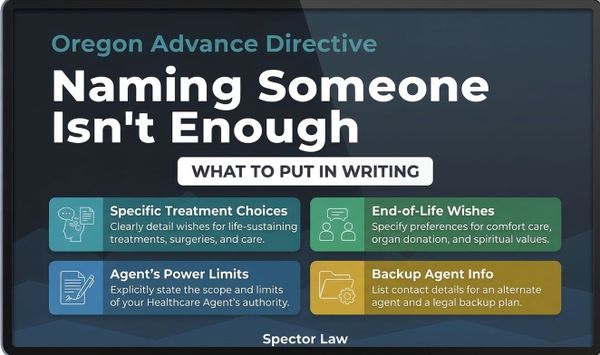
If you're unconscious for more than a few hours — a head injury, a stroke, a surgery that goes sideways — someone has to have legal authority to talk to your doctors, receive your records, and make a call about treatment. A phone screen doesn't grant that authority. In Oregon, it comes from an Advance Directive naming a health care representative. In Washington, a health care directive paired with a durable power of attorney for health care. Both states also expect a HIPAA authorization so your person can actually get information out of the hospital, and a financial power of attorney so someone can pay your mortgage while you're in a bed at OHSU.
Medical ID is the first thirty seconds. Those documents are the next thirty days.
Think of it this way: your phone tells the paramedic who to call. Your estate plan tells the hospital who to listen to. You want both, and only one of them takes ten minutes.
Common questions
Does this work if my phone is dead or locked in a gym locker? No. That's part of why your wallet should still have an ICE card and why the legal documents matter. Medical ID is one layer, not the whole system.
Do my emergency contacts get notified automatically if something happens? Not on their own. Two Apple features do reach out for you: Emergency SOS (hold the side and volume buttons) and Crash Detection on newer iPhones and Watches, both of which can alert your emergency contacts and share your location. Set those up while you're in there.
Is Medical ID the same as a POLST or a DNR? No, and this one matters. A POLST is a medical order signed by a clinician that travels with you and is legally binding on responders. Typing "DNR" into your Medical ID does not create one. If you have strong feelings about resuscitation, talk to your doctor about a POLST and talk to me about your advance directive.
My parents aren't going to do this. Then do it for them. Next time you're at their house, ask for their phone and spend ten minutes on it. Put yourself in as the first contact. This is the single easiest favor an adult child can do for a parent.
The ten-minute version
Open Health. Tap your photo. Tap Medical ID. Tap Edit. Add your people, your allergies, your medications, and who's home. Turn on Show When Locked. Test it from the lock screen.
That's it. Then call your mother and walk her through it.
Have a question about setting this up, or about the documents that pick up where your phone leaves off? Reply to this post, call us at 971.346.3833, or email support@spector.law. We meet at our office, at your home, or online — west side (Tigard/PDX) and east side (Damascus/Clackamas).
Cassie Spector is the founder of Spector Law, LLC, and is licensed in Oregon and Washington.
What is Medical ID? (Iphone) — made with VEED How to Update Medical ID on IPhone — made with VEED